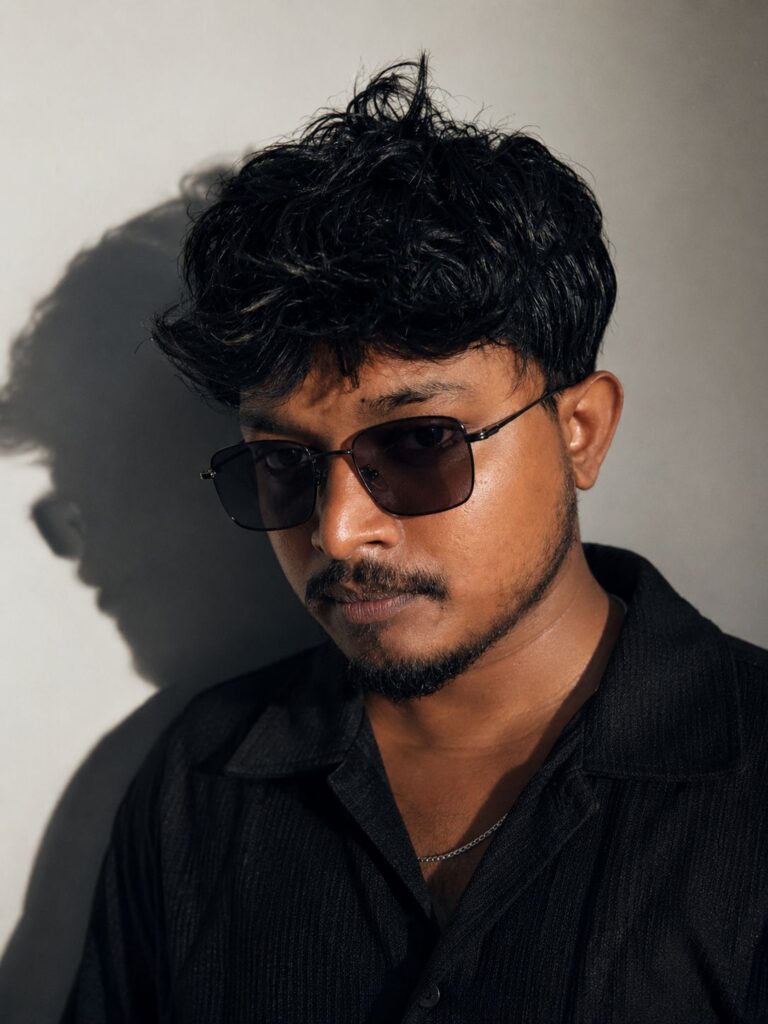
Ajizul Haque – Founder of Haryana Preset
Introduction
I’m Ajizul Haque, and I built Haryana Preset from a simple frustration — most free preset websites don’t actually work the way they claim to. I edit photos, test Lightroom presets, and build AI photo editing prompts, and everything on this website has passed through my own hands before it reaches yours. This page is my chance to explain who I am, why Haryana Preset exists, and how the content here actually gets made.
Welcome to Haryana Preset
If you’ve found your way to Haryana Preset, you’re probably looking for one of a few things — a Lightroom preset that gives your photos a specific look without hours of manual editing, an AI photo editing prompt that saves you time, or a tutorial that explains the process clearly instead of assuming you already know the technical terms.
That’s exactly what I built this website to provide. Haryana Preset isn’t run by a large team or an anonymous group of writers pulling content from other sites. It’s me, Ajizul Haque, editing sample photos, testing presets, writing prompts, and putting together guides based on what I’ve actually done myself.
The Story Behind Haryana Preset
Haryana Preset started because I kept running into the same problem as a lot of editors — downloading a “free preset” from a random website, applying it to a real photo, and getting a result nowhere close to the polished preview image shown on the download page. Sometimes the skin tones would shift into strange colors. Sometimes the preset barely changed the photo at all.
I decided to build something that didn’t rely on exaggerated previews. Haryana Preset was created around one idea: show the real result, not the best-case scenario. Every preset here is tested on actual photos, in different lighting, so what you see is close to what you’ll get.
The name itself comes from where I’m from and where a lot of my early editing practice happened. It made more sense to me than picking a generic name that had nothing to do with where this project actually started.
Why Ajizul Haque Started Haryana Preset
I started Haryana Preset because I noticed a gap between what people actually needed and what most preset websites were offering. Beginners wanted clear instructions, not confusing technical menus. Photographers wanted presets that held up across different cameras and lighting setups, not just one flattering sample photo. And almost nobody was explaining AI photo editing prompts in a way that made sense to someone who hadn’t used AI tools before.
Ajizul Haque built Haryana Preset to close that gap directly. Not by trying to be the biggest resource online, but by making sure that whatever I did publish was something I’d trust enough to use on my own photos.
My Experience in AI Photo Editing
AI photo editing is a newer part of my work compared to Lightroom, but I’ve approached it with the same mindset. When I started experimenting with AI image generation and editing prompts, I noticed the same issue I’d seen with presets years earlier — a lot of prompts shared online look convincing in writing but produce inconsistent results the moment you actually try them on a different photo.
So with Haryana Preset, I run every AI photo editing prompt multiple times across different reference images before I consider it worth publishing. I also try to explain what each part of a prompt is actually doing, rather than just handing over text to copy and paste. If you understand why a prompt works, you can adjust it yourself instead of depending entirely on someone else’s exact wording.
My Experience with Lightroom Presets
My real background is in Lightroom. I’ve spent a long time working with tone curves, HSL sliders, and color grading tools, mostly by taking apart presets I liked and figuring out what specific adjustments were creating that look. That process taught me more than following tutorials ever did, because it forced me to understand why an edit worked instead of just copying steps.
Every preset published on Haryana Preset goes through testing on more than one type of photo — bright daylight, indoor lighting, golden hour, and low light. I also test separately on Lightroom Mobile and Lightroom Desktop, because the two versions don’t always behave identically, even with the same preset file. A lot of preset creators only check desktop and assume mobile will match. I don’t make that assumption with Haryana Preset.
What You Will Find on Haryana Preset
Haryana Preset is organized around a few core resources. There are free Lightroom presets grouped by style — cinematic wedding presets, moody portrait presets, bright travel-style presets, and everyday editing presets for phone photography. There are AI photo editing prompts covering cinematic transformations, retouching, and creative color styles, each explained rather than just listed as a block of text to copy.
Alongside the downloads, you’ll find photography tutorials covering installation on both Lightroom Mobile and Lightroom Desktop, syncing presets across devices, and troubleshooting common import errors. The goal across all of it is the same — give you something practical you can actually use, not just more content to scroll past.
Editorial Standards
Content on Haryana Preset follows a consistent standard before anything gets published. I don’t add a preset or prompt just to fill out a category. If it doesn’t perform well across different lighting conditions or photo types, it doesn’t go live, and if something already published stops performing the way it should after a Lightroom update, I go back and fix or remove it.
I also try to stay honest about limitations. If a preset works best on certain skin tones or lighting setups and not others, I’d rather say that directly in the article than let someone find out after downloading it and feeling disappointed.
Content Review Process
Every piece of content on Haryana Preset goes through the same basic process. First, I test the preset or AI photo editing prompt itself, applying it to multiple sample photos rather than relying on a single good result. Second, I write the guide or article that goes with it, checking that installation steps match how Lightroom Mobile and Lightroom Desktop currently work. Third, I read through everything again before publishing, checking for accuracy and clarity rather than just grammar.
After publishing, the process doesn’t stop. When Adobe updates Lightroom or an AI tool changes how it interprets prompts, I revisit older Haryana Preset articles to make sure the instructions still hold up.
Why Readers Trust Haryana Preset
I think trust comes from consistency more than anything else. When someone downloads a cinematic wedding preset from Haryana Preset expecting a specific tone and actually gets that tone on their own photos, that match between promise and result is what keeps people coming back.
I also respond directly when readers point out issues — whether that’s a preset behaving differently on a particular phone model or a prompt producing inconsistent results. Haryana Preset has grown mostly through people returning and sharing it with others, which only happens if the content actually holds up under real use.
Areas of Expertise
My work centers on a specific set of skills: building and testing Lightroom presets, writing and refining AI photo editing prompts, cinematic color grading for portrait and wedding photography, and creating instructional content that explains editing processes in plain language. Haryana Preset reflects all four of these areas directly, since each article or download is built from actual hands-on work rather than research pulled together from other sources.
Skills & Professional Experience
Beyond the technical editing work, running Haryana Preset has meant learning how to structure a website that’s genuinely useful to search for, organizing presets and prompts so people can actually find what they need, and writing content that respects a reader’s time. I handle the photo editing, the writing, and the day-to-day management of Haryana Preset directly, which keeps everything published here connected to the same standard.
Mission and Vision
My mission with Haryana Preset is to make solid photo editing resources accessible without requiring expensive tools or years of prior experience. I want someone opening Lightroom Mobile for the first time to walk away with a photo they’re proud of, and I want someone more experienced to still find a useful starting point they can adjust for their own client work.
Looking forward, I want Haryana Preset to keep expanding its AI photo editing prompt library and keep updating older content so nothing here becomes outdated or misleading. Growth matters less to me than making sure what’s already published continues to work as intended.
Tools I Use
The core of my workflow runs through Adobe Lightroom Mobile and Lightroom Desktop, since that’s where every preset on Haryana Preset gets built and tested. For AI photo editing prompts, I work directly with AI image generation tools to test how prompts perform across different reference photos before publishing them. On the website side, I rely on standard WordPress SEO practices to keep Haryana Preset organized and easy to navigate, so readers can find the right preset or tutorial without digging through unrelated content.
Commitment to Quality
My commitment to Haryana Preset comes down to a few simple things I try to stick to with every piece of content. I test before I publish. I update when something changes. I explain the reasoning behind an edit instead of just handing over a file. And I stay honest about what a preset or prompt can and can’t do, even when a more exaggerated claim might sound more appealing.
Frequently Asked Questions
Is Ajizul Haque the only person managing Haryana Preset?
How does Ajizul Haque test presets before adding them to Haryana Preset?
Does Haryana Preset offer presets for both Lightroom Mobile and Lightroom Desktop?
What kind of AI photo editing prompts does Haryana Preset publish?
Why did Ajizul Haque decide to start Haryana Preset?
Are the tutorials on Haryana Preset suitable for beginners?
How often is content on Haryana Preset updated?
Does Ajizul Haque accept requests for new presets or prompts on Haryana Preset?
What makes Haryana Preset different from other preset websites?
How can readers contact Ajizul Haque about content on Haryana Preset?
Conclusion
Haryana Preset exists because I wanted something better than what I kept finding when I searched for free presets myself. I’m Ajizul Haque, and every Lightroom preset, every AI photo editing prompt, and every tutorial on this website has gone through my own testing before it reaches you. That process hasn’t changed as the site has grown, and it isn’t going to.
If you’re new to Haryana Preset, I hope you find a preset or prompt that actually gives you the result you were looking for. If you’ve been here before, thank you for continuing to trust the work behind it. I’ll keep testing, keep updating, and keep publishing content under Ajizul Haque and Haryana Preset the same way I always have — carefully, honestly, and with real photos, not just polished previews.
📚 Explore More on Haryana Preset
Discover our latest Lightroom Presets and AI Photo Editing Prompts designed to help you create professional-quality edits with ease.
Looking for more? Visit the Haryana Preset homepage to explore the latest free Lightroom Presets, AI Photo Editing Prompts, and editing tutorials.
Social Links
| @__ajiz_zul__ | Click Here |